
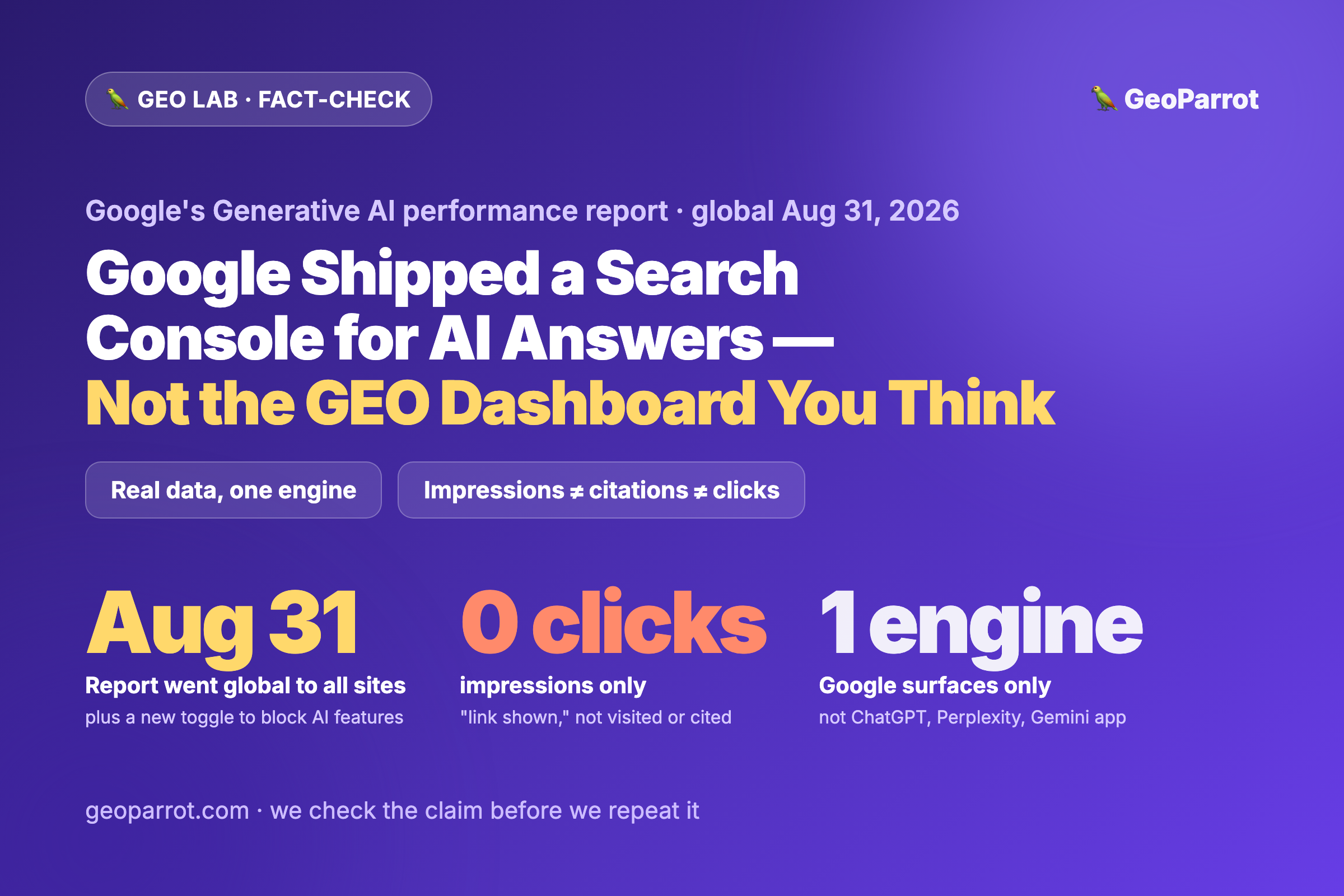
Quick answer: On August 31, 2026, Google finished rolling out its Generative AI performance report in Search Console to every site worldwide, alongside a new “Search generative AI control” toggle that lets you block your content from AI features. First introduced on June 3, the report gives you a dedicated view — impressions, pages, countries, devices, dates — for how your links appear in Google’s AI answers. This is genuinely useful, and it means we have to update a claim we’ve repeated all year (“there’s no Search Console for AI answers”). But read the fine print before you re-architect anything. It reports impressions only — no clicks, where an impression just means “a link to your site was shown” in an AI feature (not that you were the cited source, and not that anyone visited). It covers Google’s surfaces only — AI Overviews and AI Mode — so it says nothing about ChatGPT, Perplexity, Gemini’s app, or Copilot. It is a single-engine visibility counter, not the cross-engine GEO dashboard people are about to treat it as. Use it as a baseline, keep self-logging the other engines, and don’t turn “AI impressions went up” into a vanity score.
Trend watch — published September 7, 2026. This is a fact-check post: we report exactly what Google shipped, correct a claim we ourselves have made, separate what the report proves from what people will read into it, and connect it to the per-engine thesis we keep testing in the GEO Lab.
What exactly did Google ship, and when?
Two dates matter. Google introduced the Generative AI performance report in Search Console on June 3, 2026 as a limited rollout. Then, on August 31, 2026, it rolled the report — and a companion control — out globally to all sites. That’s the news: as of this week, every site owner on the planet has this view, not a lucky subset.
The report itself lives in the left-hand navigation of Search Console, directly under the familiar Performance section, as a dedicated “Generative AI” menu item. In Google’s own words, it shows “how your site performs in generative AI features on Google Search.” It breaks impressions down by page, country, device, and date, across AI Overviews and AI Mode (Google notes the covered surfaces “may expand” over time). The second thing that shipped on August 31 is a “Search generative AI control” — a toggle that lets a site opt its content out of AI features like AI Overviews, AI Mode, and AI Overviews in Discover. Google is explicit that opting out means you “will not receive traffic or impressions from our generative AI features,” but that the opt-out “will not be used as a ranking signal” for your regular search results. We’ll come back to why that toggle is the sharper decision than the report.
We said there was no Search Console for AI. Were we wrong?
Partly — and we’d rather say so than quietly move on. Across several posts this year, including our guide to tracking AI search traffic and our recent note that Apple’s new Siri ships with no reporting at all, we’ve leaned on the line that “there’s no Search Console for AI answers, so you have to self-instrument.” For one engine, that line is now out of date. Google has shipped real, first-party impression data for its own AI surfaces. If you optimize for AI Overviews and AI Mode, open the report — it’s the closest thing to ground truth you’ve had.
But the shape of the claim survives, because the report is narrow in exactly the ways that matter. It’s one engine, it’s impressions and not outcomes, and it doesn’t tell you why a link appeared or whether you were the source the answer leaned on. The honest update isn’t “measurement is solved.” It’s “Google now gives you a partial instrument for Google’s AI — and that raises the bar for how carefully you read it.” The three misreadings below are already predictable.
Misread #1: treating one engine’s report as your GEO dashboard
The most expensive mistake will be quietly assuming this report represents “your AI visibility.” It represents your visibility in Google’s AI features — nothing else. And the whole reason GEO is hard is that engines don’t agree on who to cite. In our cross-engine citation study, four AI engines answering the same 15 buying-intent questions shared only two common cited domains out of 395 — more than 85% of cited sources were unique to a single engine. That’s the empirical core of why there is no universal GEO strategy. A report that covers AI Overviews and AI Mode tells you nothing about the ChatGPT answer, the Perplexity citation, or the Gemini-app response your buyers also see. Use it as one instrument on a dashboard that still needs several — pairing it with referrer/UTM self-logging for the engines Google can’t see for you, exactly as in our AI-traffic tracking guide.
Misread #2: reading impressions as citations, clicks, or value
Google’s definition is deliberately modest: an impression counts when “links to your site were shown to a user in a generative AI feature.” That is a long way from three things people will conflate it with. It is not a click — the report ships with no click data at all, so a rising impression line tells you nothing about traffic. It is not a citation in the sense that matters — being one of several links shown alongside an AI answer is not the same as being the source the answer was actually built on. And it is certainly not a recommendation. We’ve hammered this distinction with our own experiments: being listed is not being picked (see self-ranking listicles), and being cited is not being recommended (see how we reverse-engineered the consensus pick). The new report adds a fourth rung to that ladder — “shown” sits below “cited,” which sits below “picked.” Read it as the visibility floor it is, not the outcome you wish it were.
Misread #3: minting a vanity “AI visibility score”
Give the industry a fresh number and someone will build a vanity metric on top of it within a fortnight. Expect dashboards that blend your Google AI impressions with scraped proxies for other engines into a single “AI Share of Voice” figure — and then sell you on moving it up. We’ve argued at length why share of voice is the wrong AI metric: an aggregate visibility number detaches from the only things that pay — being the trusted source an answer is built on, and the earned reputation that gets you there. The report is a good input to a real analysis (which pages, which countries, which trend). It is a terrible headline KPI. Watch the segments, not the single blended number, and never let “impressions were up 30%” stand in for “we earned more of the answers that convert.”
The toggle is the real decision — don’t flip it on reflex
The report is passive; the “Search generative AI control” toggle is an action, and it’s the one that can actually hurt you. Because it’s framed as a privacy/opt-out control, some teams will flip it in a defensive panic — “keep our content out of Google’s AI.” Read what Google actually said: opting out means you get no traffic or impressions from AI features, while the opt-out itself is not used as a ranking signal for regular results. So the trade is stark — you preserve nothing in classic search and you forfeit all AI-surface visibility. For almost every publisher that’s the wrong trade. This is the same lesson we drew when Cloudflare moved to block AI crawlers by default: blocking is a real lever with real downside, not a free safety switch. Leave the toggle off unless you have a specific licensing, legal, or strategic reason to disappear from AI answers — and if you do flip it, do it deliberately, not reactively.
What should you actually do this week?
- Open the report and baseline it. It’s free, first-party, and now live for you. Note your AI-feature impressions by top pages and top countries so you have a “before” for anything you change next.
- Label it correctly in every report you send. “AI-feature impressions (Google surfaces, no clicks)” — not “AI traffic,” not “AI citations.” The label prevents the misreads above from spreading through your org.
- Keep self-logging the other engines. ChatGPT, Perplexity, Gemini’s app, and Copilot are not in this report. Segment their referrers/UTMs the way our AI-traffic tracking guide lays out, and treat Google’s report as one panel beside them.
- Don’t build a single blended “AI visibility” KPI. Analyze the segments — page, country, device, trend over time — and connect movements to specific work. Resist the one-number dashboard.
- Leave the block toggle off by default. Only opt out with a deliberate reason. Remember it removes AI-feature traffic and is separate from your regular ranking — a big lever, not a panic button.
Bottom line: Google shipping a global Generative AI performance report is a real step forward — the first time a major engine hands you first-party data on how you show up in its AI answers, and enough for us to retire the flat “there’s no Search Console for AI” line. But it’s one engine, it’s impressions rather than clicks or citations, and it will be badly misread as a cross-engine GEO dashboard, an outcome metric, and a vanity score. Baseline it, label it honestly, keep instrumenting the engines it doesn’t cover, and think hard before you touch the block toggle. We update the claim when the facts change — and we still read the fine print before we cheer.
Frequently asked questions
What is the Generative AI performance report in Google Search Console?
It’s a dedicated report, found under the Performance section of Search Console, that shows how your site’s links appear in Google’s generative AI features — specifically AI Overviews and AI Mode. Google introduced it on June 3, 2026, and rolled it out globally to all sites on August 31, 2026. It breaks impressions down by page, country, device, and date.
Does the report show clicks or just impressions?
Impressions only. Google’s help documentation is explicit that the report does not include click data — an impression means “links to your site were shown to a user in a generative AI feature.” Google has said more metrics may come over time, but there’s no confirmed timeline, so for now you cannot infer traffic or conversions from it.
Does it cover ChatGPT, Perplexity, or Gemini?
No. The report only covers Google’s own AI surfaces — AI Overviews and AI Mode (with the covered surfaces potentially expanding within Google over time). It says nothing about ChatGPT, Perplexity, Gemini’s standalone app, or Microsoft Copilot. Because our testing shows AI engines share almost no cited sources in common, you still need separate, self-instrumented tracking for the other engines rather than treating this as your whole-of-AI dashboard.
Should I use the toggle to block my content from AI features?
For most sites, no. Google says opting out means you “will not receive traffic or impressions from” AI features, while the opt-out is not used as a ranking signal for regular search — so you forfeit AI-surface visibility without protecting classic rankings. Only flip it if you have a specific licensing, legal, or strategic reason to disappear from AI answers, and do it deliberately rather than as a defensive reflex.
Does this change my GEO strategy?
It improves your measurement for one engine; it doesn’t change the fundamentals. Use the report to baseline and segment your Google AI-feature impressions, but keep optimizing for what travels across engines — answer-first, first-party content and genuine category authority — and keep tracking each engine separately, as in our per-engine GEO checklist. Read impressions as a visibility floor, not as citations, clicks, or recommendations.


Leave a Reply