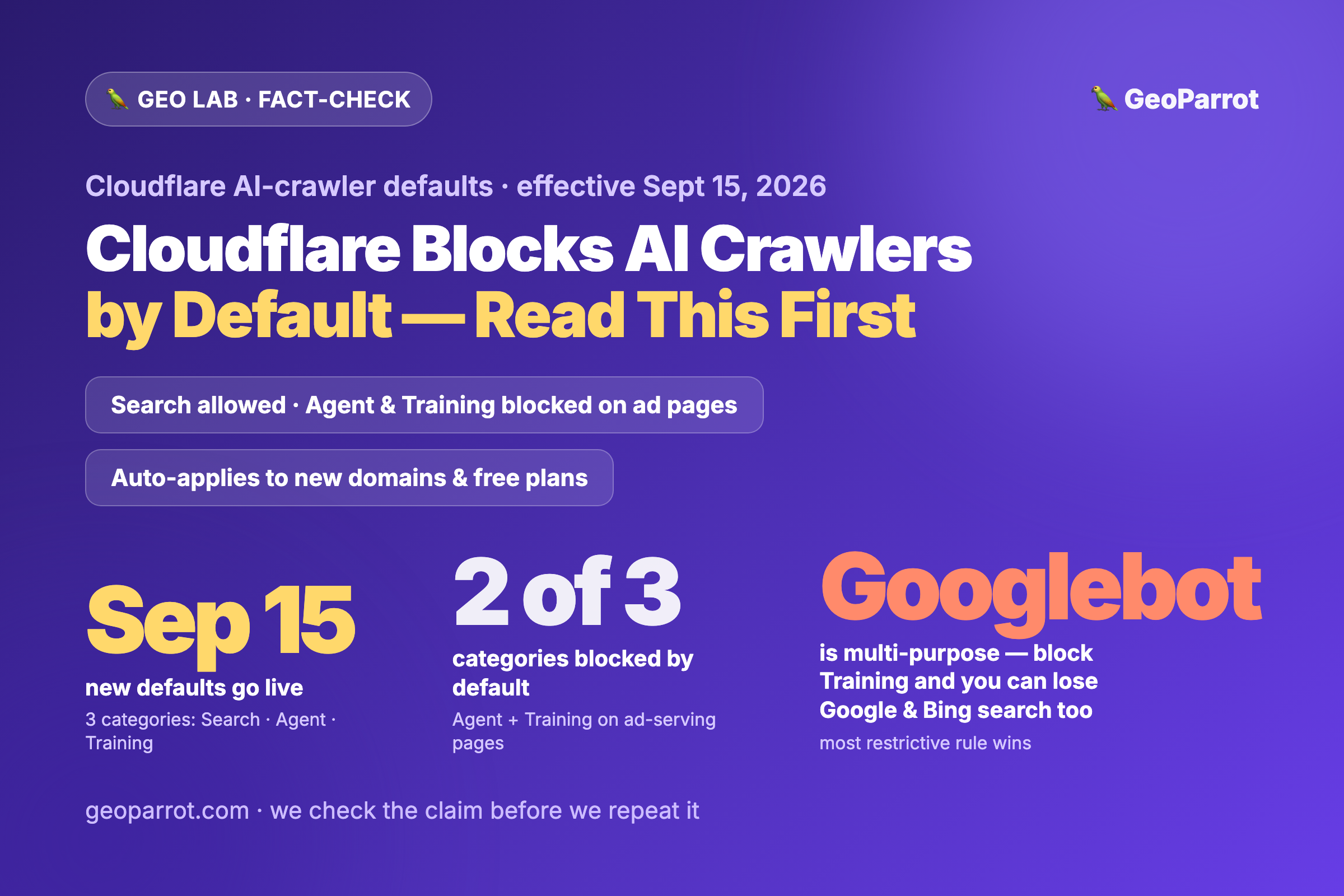
Quick answer: On September 15, 2026, Cloudflare changes its default AI-crawler settings. It now sorts bots into three jobs — Search, Agent, and Training — and the new defaults block Agent and Training crawlers on pages that show ads, while Search stays allowed. The new defaults auto-apply to new domains and all free-plan customers; existing paid setups aren’t flipped for you. The GEO trap most write-ups skip: crawlers like Googlebot, Bingbot, and Applebot are multi-purpose, and Cloudflare judges them by their most restrictive matching rule — so a reflexive “block AI training” toggle can also block Google and Bing search indexing, and with it the AI answers that retrieve from those indexes. Before you touch a setting: check your own dashboard, decide per category, and don’t act on the headline.
Trend watch — published August 30, 2026. This is a fact-check post: we report what Cloudflare actually announced, flag what’s still a hypothesis, and connect it to the first-party GEO thesis we keep testing in the GEO Lab.
What actually changes on September 15?
Cloudflare has split its old single “block AI bots” switch into three categories based on what a crawler does: Search (fetch to index and link back), Agent (fetch in real time to answer a user’s task), and Training (fetch to train models). Starting September 15, for the sites the change touches, the defaults become: Training and Agent blocked on pages that serve ads; Search allowed. Alongside it, Cloudflare’s managed robots.txt ships a content-use signal with three values — immediate, reference, and full — defaulting to reference (index, summarize, link back — but don’t reproduce wholesale). And the old per-fetch “Pay Per Crawl” is being replaced by Pay Per Use, which pays publishers when their content is actually used in an AI answer, not merely fetched.
Here’s the detail to hold onto: the new defaults auto-apply to new domains onboarding to Cloudflare and to all existing free-plan customers. If you’re on a paid plan with settings you configured yourself, Cloudflare isn’t silently flipping them. So the first move is not to panic-toggle — it’s to look at what your account is actually set to.
Why is an AI-crawler default a GEO event?
Because you cannot be cited by an engine that cannot fetch you. Modern AI answers — Google AI Overviews and AI Mode, ChatGPT search, Perplexity — increasingly ground their responses on live retrieval, not just what a model memorized in training. The whole premise of GEO is getting into that retrieval-and-citation loop. A crawler policy is the gate to that loop. Get it wrong and the most beautifully answer-first page is invisible for a reason that has nothing to do with your content — the bot never got in the door. It’s the same dependency we flagged in how AI search actually decides what to cite: retrieval access is upstream of everything else.
The trap: blocking “AI” can delete your Google visibility
This is the part worth reading twice. Some crawlers do more than one job with a single bot. Googlebot crawls for classic search and for Google’s AI features using the same token; Bingbot and Applebot are similarly multi-purpose. Cloudflare evaluates a multi-purpose crawler across all of its behaviors, and the most restrictive matching rule wins. So if you block the Training category to keep models from learning off your content, you can simultaneously block the search indexing that Googlebot and Bingbot perform — because it’s the same crawler.
The double loss is the GEO sting. Drop out of Google’s index and you don’t just lose ten-blue-link traffic — you lose the candidate pool that AI Overviews and AI Mode cite from, because those are a generative layer on the same index (the point we made in what “AI SEO” really means). One over-broad toggle, and you’ve quietly opted out of both classic search and AI search at once. Note that Google keeps a separateGoogle-Extended token specifically for Gemini training — so the clean way to refuse model training without touching search is at that token level, not by blanket-blocking Googlebot.
Where we pump the brakes
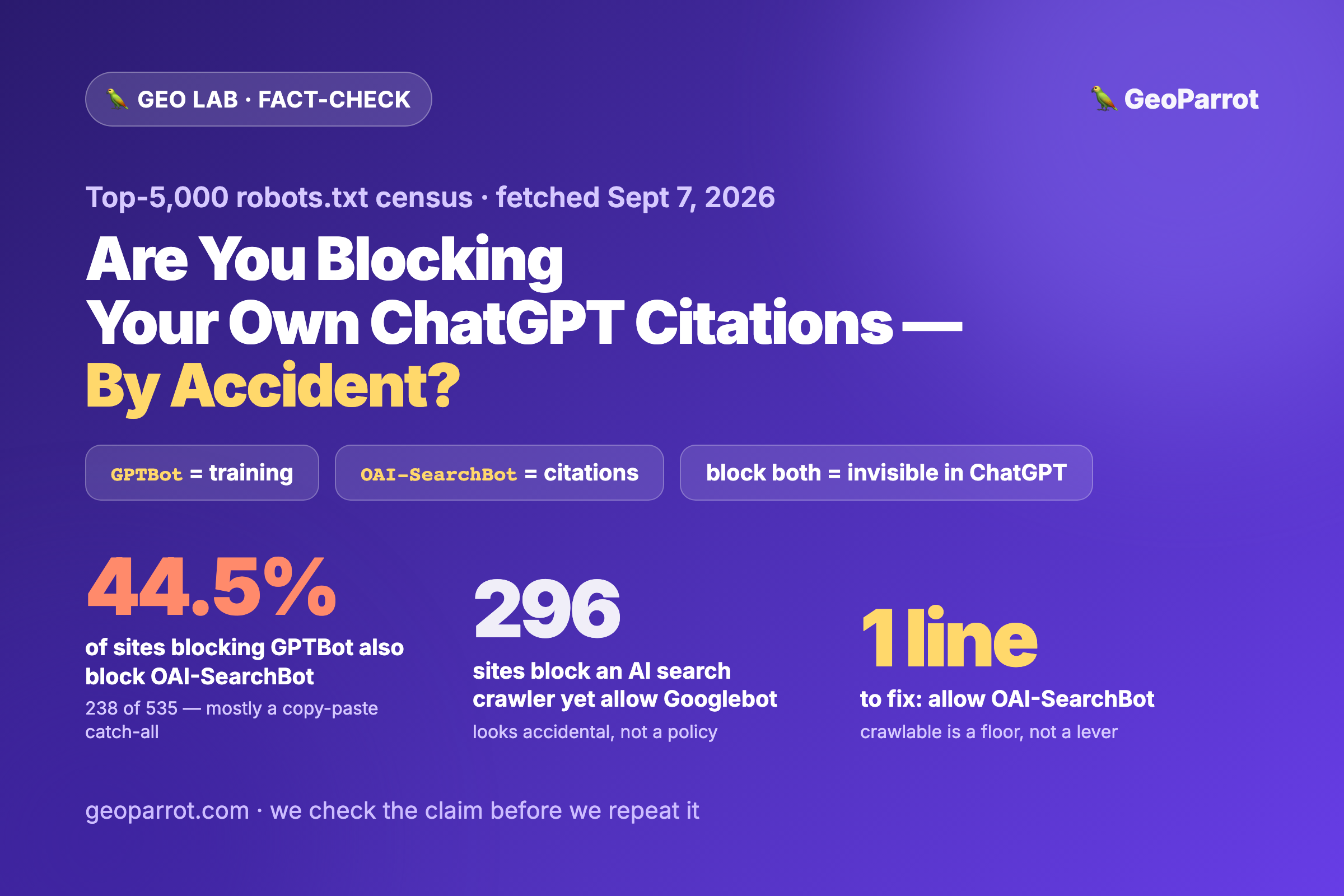
Two things are being over-claimed in the coverage. First, “Cloudflare is blocking AI on September 15” — for your site, only if it’s a new domain or a free plan, and only on ad-serving pages. The scope matters, and a headline that erases it will push people into config changes they didn’t need. Second, “block Agent/Training and you’ll vanish from ChatGPT and Perplexity” — that depends entirely on which bot each engine uses and how Cloudflare classifies it. OpenAI’s GPTBot (training) is not its OAI-SearchBot (search); Perplexity fetches differently again. A blanket rule hits each engine unevenly, which is exactly why there’s no universal GEO setting. Treat the retrieval impact on any specific engine as a hypothesis to verify in your own logs, not a settled fact — the same causation discipline we apply to every trend here.
And note what this whole shift confirms about llms.txt: the real levers for AI access aren’t an aspirational manifest Google still ignores — they’re robots.txt, crawler-level controls, and now content-use signals your CDN actually enforces.
What should you actually do before Sept 15?
Open your Cloudflare dashboard and read your current AI-bot state. Find the AI Crawl Control / bot settings and note whether “Block AI bots” or any Training/Agent block is already on. Don’t assume — a forgotten toggle from 2025 is the most common way sites lose visibility here.
Decide per category, not with one switch. Search, Agent, and Training are separate choices now. The common sweet spot: allow Search, allow the Agent bots of engines you want to be cited in, and refuse Training if you object to model-building — done at the engine’s training-specific token where one exists.
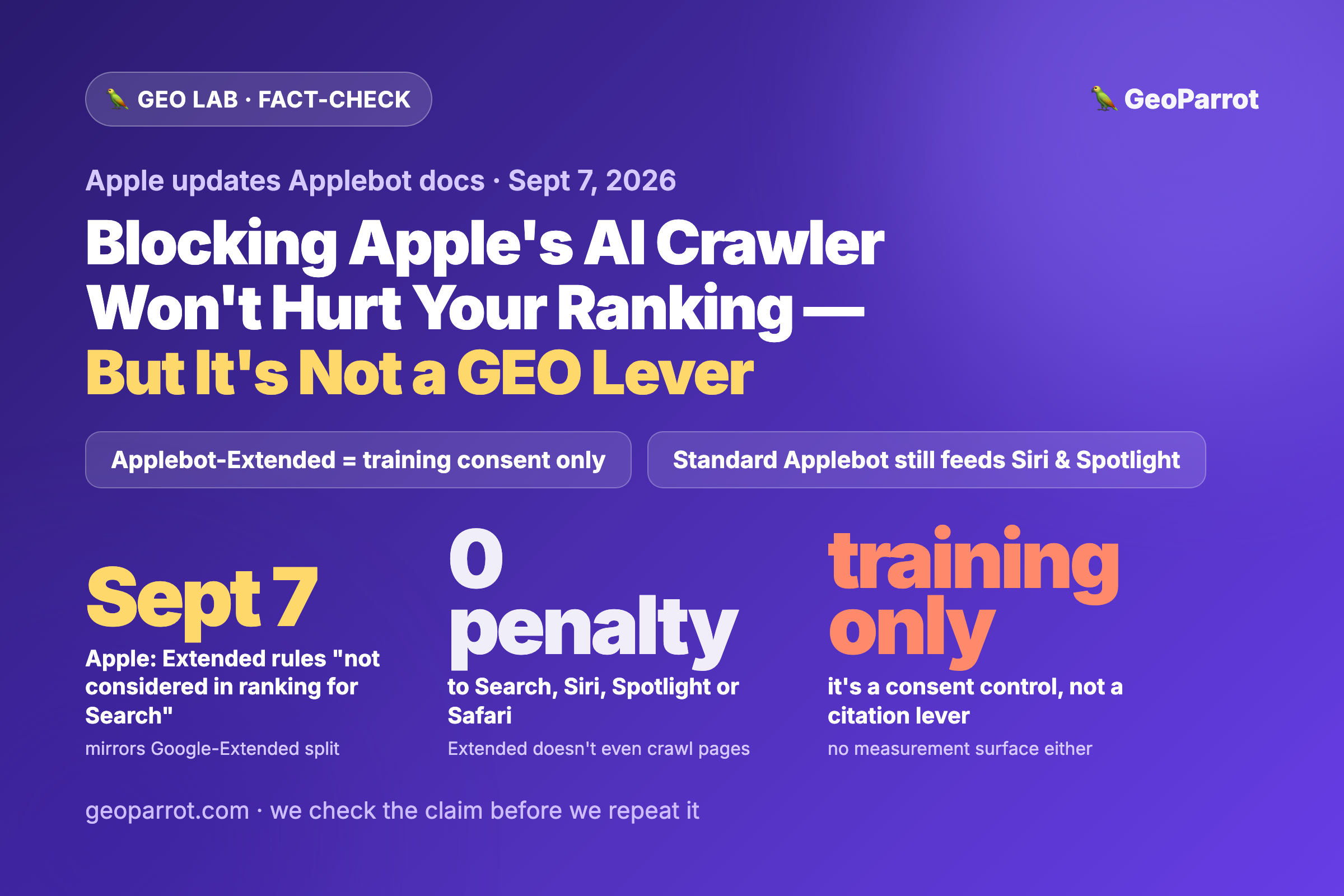
Watch the multi-purpose trap. Before blocking Training globally, confirm you’re not also blocking Googlebot/Bingbot search. Use Google’s Google-Extended and Applebot’s training token to refuse training without touching search indexing.
Instrument it, then read the logs. After the deadline, check Search Console and Bing Webmaster crawl stats for unexpected drops, and log which named bots are actually hitting you. Measured reality beats the changelog.
Re-run your engine-by-engine plan. Because each engine’s bot lands in a different category, your access decision differs per engine — the exact reasoning in our per-engine GEO checklist.
Bottom line: September 15 isn’t an apocalypse and it isn’t nothing. It’s a defaults change that rewards site owners who make a deliberate, per-category crawler decision — and quietly punishes the ones who reach for a single “block AI” switch without noticing it can take Google and Bing search down with it. In GEO, access is the prerequisite. Decide it on purpose.
Frequently asked questions
What changes in Cloudflare’s AI-crawler defaults on September 15, 2026?
Cloudflare sorts AI crawlers into three categories — Search, Agent, and Training — and sets new defaults that block Agent and Training bots on pages that display ads, while leaving Search allowed. Its managed robots.txt also ships a content-use signal defaulting to “reference,” and Pay Per Crawl is replaced by Pay Per Use, which pays publishers when content is actually used in an AI answer.
Does the new default block apply to my site automatically?
Only for new domains onboarding to Cloudflare and for all existing free-plan customers, and only on ad-serving pages. If you’re on a paid plan with settings you configured, Cloudflare doesn’t flip them for you. Either way, the safe move is to open your dashboard and confirm your current AI-bot settings before the deadline.
Can blocking AI training crawlers hurt my Google search rankings?
Yes, it can. Googlebot, Bingbot, and Applebot are multi-purpose crawlers, and Cloudflare applies the most restrictive matching rule. Blocking the Training category can therefore also block the search indexing those bots perform, dropping you from classic results and from the AI answers that cite them. To refuse training without hurting search, use Google’s separate Google-Extended token rather than blocking Googlebot outright.
Will this remove my content from ChatGPT and Perplexity?
It depends on which bot each engine uses and how Cloudflare classifies it. OpenAI’s GPTBot (training) is distinct from OAI-SearchBot (search), and Perplexity fetches differently again, so a blanket block hits each engine unevenly. Treat the impact on any specific engine as something to verify in your own server logs rather than assume from the announcement.
Should I block AI crawlers to protect my content?
Only after a deliberate, per-category decision. Blocking Search or Agent bots removes you from AI citations you may want; blocking Training refuses model-building but can catch multi-purpose search crawlers if done bluntly. Decide category by category, use engine-specific training tokens where they exist, and confirm the effect in your crawl logs afterward — access is the prerequisite for GEO, so don’t cut it off by accident.

Leave a Reply