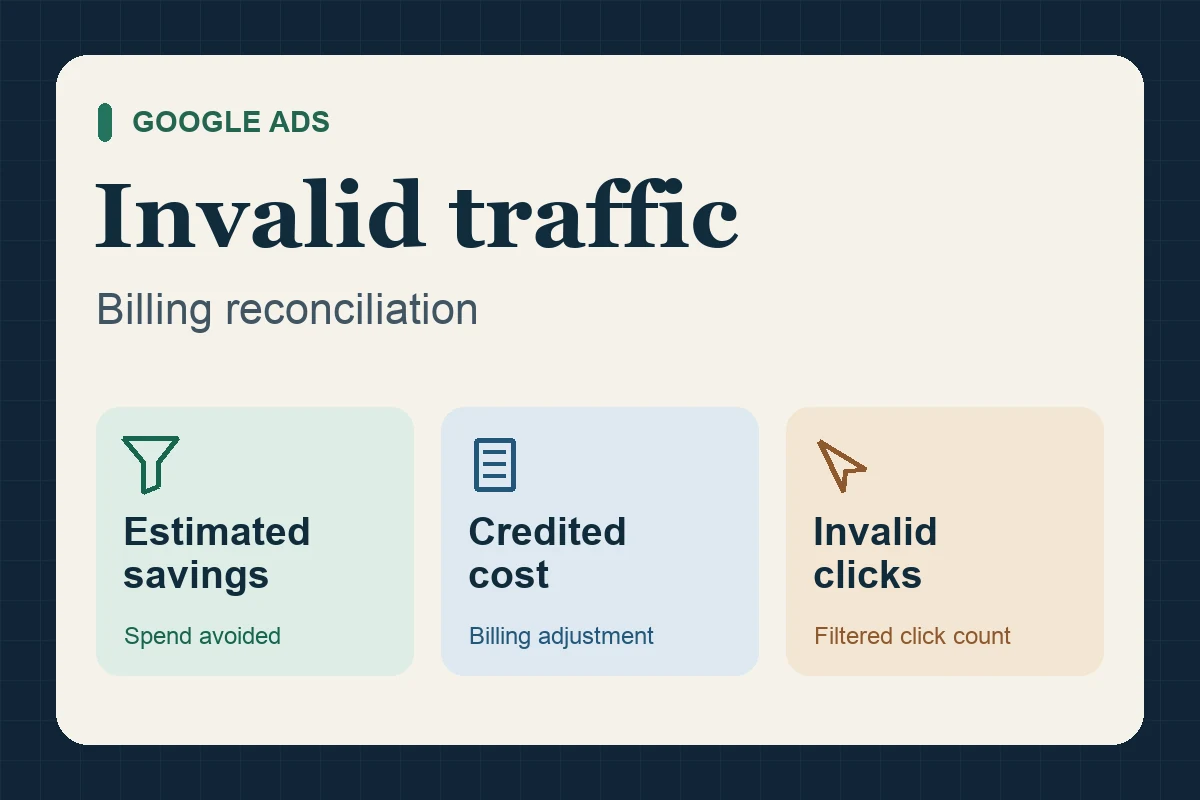
The Google Ads Invalid Traffic Overview Card brings two amounts together. Estimated savings describes spend Google estimates its protections prevented. Credited cost represents money credited for invalid activity detected after billing. At month-end, use the first figure to explain protection and verify the second against the billing adjustment before recording it. Use the campaign’s Invalid clicks column to investigate changes in filtered click volume.
Google announced the card on November 12, 2026. The rollout is gradual, and the card may be absent from some accounts. This guide uses public documentation reviewed November 18, 2026, and a hypothetical month-end close. GeoParrot reviewed the documented workflow. The card’s availability in a specific advertiser account was unverified. Google’s rollout announcement · Google Ads Help on invalid traffic
Which figure goes where?
Recommended destinations for the fields documented by Google Ads Help, reviewed November 18, 2026
Field
What it measures
Where to use it
Estimated savings
Estimated spend avoided through Google’s invalid traffic protections in the selected date range.
Traffic quality notes. Keep the estimate outside the billing total and the spend used for KPIs.
Credited cost
Money credited for eligible invalid activity detected after billing.
Billing reconciliation. Match the credit to the adjustment that posted and record the original service month.
Invalid clicks
Number of clicks Google filtered out before billing.
Campaign diagnosis. Compare the same campaign and dates across exports.
Adjusted cost
Invoiced campaign cost after subtracting invalid activity credits in the dedicated report for Search and Performance Max.
Campaign performance analysis for the original service period. Label the cost basis and use matching adjusted metrics.
Reconcile the card at month-end
Record the account and date range. In Google Ads, open Campaigns, then Overview. Find the Invalid traffic card and capture the customer ID, account currency, selected dates, and export date alongside the figures. Choose View details to inspect daily trends, the campaign breakdown, and invoice links. Recording the account ID and currency matters when an agency rolls several accounts into one report.
Match issued credits to billing. Under Billing, open Summary and look for Invalid activity in the monthly adjustments. Billing screens vary by setup, so also check the account’s Billing activity or Transactions view and the relevant invoice. Record when the adjustment posted and which service month it covers. Use the original invoice reference and campaign where available. A credit appearing on a later invoice can relate to a campaign that has since been paused. Google’s billing adjustment reference
Keep the campaign export and the adjusted view. Standard campaign metrics for a closed month do not retroactively reflect later invalid activity credits. For Search and Performance Max, look in Campaigns → Report Editor → Template gallery for the Invalid Activity Credit Report. Compare the original export with the adjusted report for the same period and campaign. Label exported costs as campaign-reported or adjusted. For ratios, use the denominator that matches the cost and date range. The guide to CPA, ROAS and CTR explains how changing one input affects the reported ratio. Google’s report fields and scope
Leave unmatched credits open. If a card total and the billing export differ, compare scope, currency, and posting month before assigning the difference to a campaign. Review rounding and cutoff timing. Recheck the adjustment on the next export and add an owner and due date to each open item. Keep a link to the billing document so a teammate can reproduce the match.
A reconciliation sheet needs one row per identifiable billing adjustment or invoice line, with its posting month, service month, invoice reference, campaign if known, currency, and amount. Link the card snapshot and the campaign export as supporting records. If an adjustment appears both in Billing and on the invoice, use one reconciliation row with both references so it is counted once. Keep the snapshot’s estimated savings in a separate field.
Example: an October campaign gets a credit in November
Suppose a Search campaign’s October export shows more Invalid clicks than September. November’s invoice then includes an Invalid activity adjustment tied to October. An October campaign report, a November billing report, and the card can each tell a different part of this story.
Billing review. Record the adjustment on the November reconciliation with October as its service month. Attach the invoice line. Use the amount actually posted.
October performance review. Preserve the original export and add a clearly labeled adjusted view from Report Editor. In the November performance review, omit the October credit from November campaign cost so November’s CPA still reflects November activity.
Traffic quality review. Compare October’s filtered click count with October campaign spend, lead outcomes, and Change history before changing targeting or bids. If a market expansion happened at the same time, consult the localized campaign measurement checklist to see whether markets and destinations were tracked separately. Bring the cost basis and lead-quality evidence to the next channel budget review.
The same process works when the card is absent. Begin with posted adjustments in Billing and add Invalid clicks in the Campaigns table via Columns. A spike in filtered clicks is a reason to review the campaign in context. Investigate weak leads separately using the conversion and lead records available to your team. Google describes what to gather for an investigation if you suspect traffic that its protections missed. Google Ads invalid traffic investigation guidance
Frequently asked questions
Is estimated savings a Google Ads refund?
No. Estimated savings is the cost Google estimates its protections helped you avoid. Look for an Invalid activity adjustment in Billing to confirm a credit issued after billing.
Why do invalid clicks rise when credited cost stays flat?
Invalid clicks counts clicks filtered before billing. Credited cost reflects eligible activity identified later. The two figures measure different activity, and one is a count while the other is a currency amount.
Which month should I use for a Google Ads invalid activity credit?
Use the posting month to reconcile the billing entry. Keep the original service month with the adjustment and review that period separately when assessing campaign performance.
Where can I check invalid traffic if the card is missing?
Look for Invalid activity adjustments in Billing and add Invalid clicks to the campaign table. For Search and Performance Max, also check the Invalid Activity Credit Report in Report Editor for adjusted campaign metrics.





Leave a Reply