
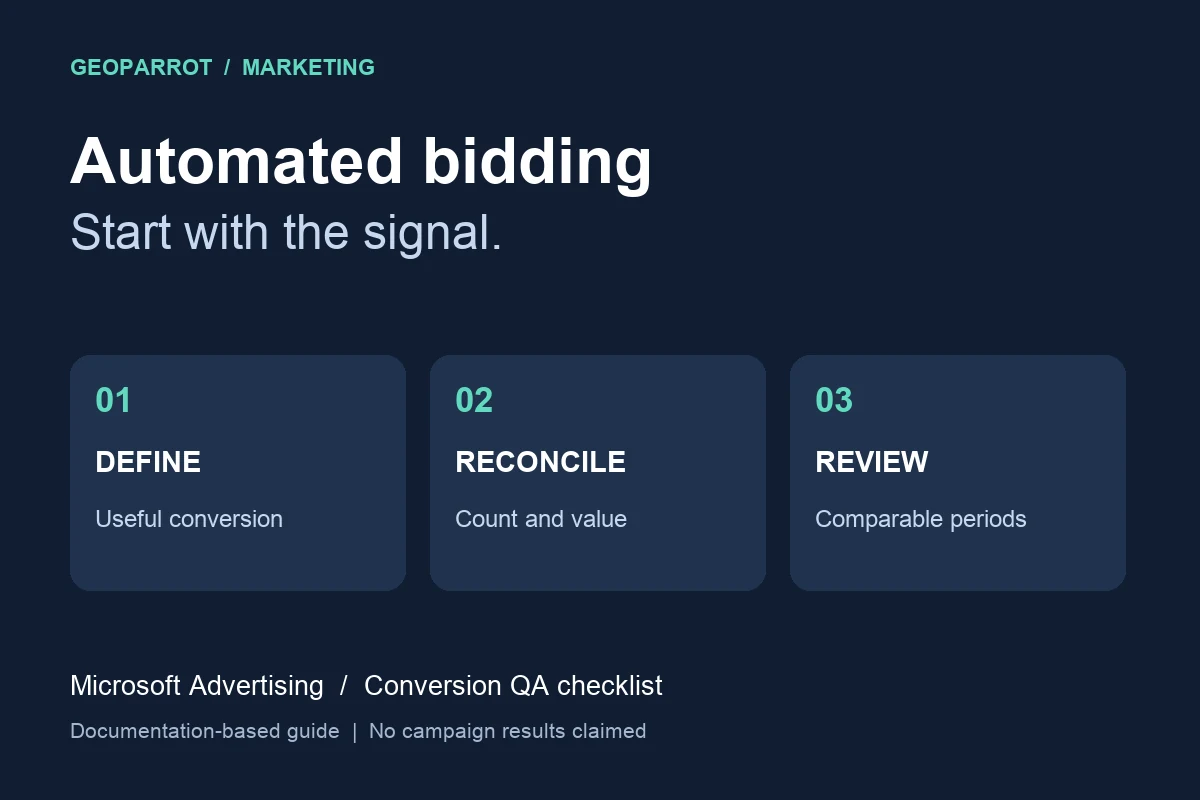
Microsoft Advertising’s November bidding upgrade gives paid-search teams a useful reason to audit the signal their campaigns optimize. Start with the conversion definition, reconcile the value sent to the platform, and record a review window before changing a target. A more capable prediction model still needs an objective that represents your business.
Scope: This is a documentation-based planning guide, reviewed November 23, 2026. We have not accessed an advertiser account or tested the rollout. The worksheet and example below are GeoParrot’s editorial recommendations, not Microsoft requirements or measured results.
What changed, and what this guide adds
In its November 18 announcement, Microsoft describes a phased upgrade to automated bidding, including changes to conversion predictions, target responsiveness and daily pacing. More accounts will receive the improvements over time. This is an older announcement than our priority 48-hour discovery window; the date is not a claim that the upgrade arrived today.
The practical work below is a release-readiness review: establish what counts as success, decide whether count or value is the useful objective, and make the next campaign decision reproducible. It does not require assuming that a vendor’s aggregate results will transfer to your account.
Gate one: define the conversion you actually want
Write one sentence naming the business outcome, the system that confirms it, and the person who owns the definition. For ecommerce, that might be a paid order confirmed in the order system. For lead generation, distinguish a submitted form from a qualified opportunity. Both can be useful events; treating them as interchangeable makes interpretation harder.
Then trace a representative journey across the website, tracking setup and business system. Use your organization’s approved QA process. Record the timestamp, event name, amount, currency and any transaction identifier available at each step. Look for repeated events after refresh, missing values and test activity reaching production reporting. This is a proposed inspection list, not a statement that Microsoft automatically removes any particular duplicate.
Separate the reporting inventory from the optimization inventory. Your dashboard may need exploratory actions such as brochure downloads, while your bidding objective needs the outcome you have deliberately chosen. Ask the account owner to confirm which goals feed bidding in the current interface. Keep a dated record rather than relying on a screenshot from an older campaign setup.
Gate two: choose count or value deliberately
Use our ROAS, CPA and conversion-rate guide to align the team on denominators first. A conversion in a CPA calculation must mean the same thing across the periods being compared. Revenue in ROAS needs a documented basis, including how the team treats refunds and cancellations in its business reporting.
| Situation | Question before choosing an objective | Evidence to prepare |
|---|---|---|
| Conversions have broadly comparable business value | Does a conversion count represent a useful outcome? | Goal definition and a reconciled count |
| Orders differ materially in value | Are transaction values complete and consistently defined? | Order-level amounts, currency and exceptions |
| Leads vary widely in quality | Does the tracked event distinguish useful demand from form volume? | CRM status mapping and an owner for quality review |
| Values are incomplete or contradictory | Should the tracking defect be fixed before a strategy change? | An exception log and a retest plan |
The strategy labels deserve a separate check. Microsoft’s current API BidStrategy documentation says campaign-level requests using Target CPA are converted to Maximize Conversions using the CPA value, and those using Target ROAS to Maximize Conversion Value using the ROAS value. It also says existing campaigns already using those strategies remain unaffected. An old label in a template is therefore not enough to establish the effective strategy. If you manage campaigns through software, compare the requested configuration with what the platform returns. This is an existing configuration detail, not a newly announced November migration.
Gate three: reconcile a hypothetical campaign before editing it
Consider a fictional campaign with $2,000 in ad spend, 40 confirmed orders and $8,000 in order revenue over a completed review period. Its CPA is $50 per order and its revenue ROAS is 4.0. Those are arithmetic examples, not GeoParrot campaign results.
Suppose a second export shows 80 conversions because the report includes another event alongside purchases. Dividing the same spend by that broader count produces $25 per conversion. The lower number does not demonstrate that the bidder acquired orders more efficiently: the denominator changed. Reconcile the event inventory before comparing performance or setting a new target.
Reproduce the arithmetic in the marketing metrics calculator, using spend, revenue and conversions from the same population and period. Then retain the original export and the exclusions that produced the reconciled version. A calculator checks arithmetic; it cannot establish whether the underlying attribution or event definition is correct.
| Input or output | Purchase-only view | Broader event-count view |
|---|---|---|
| Spend | $2,000 | $2,000 |
| Count used | 40 orders | 80 events |
| Spend divided by count | $50 per order | $25 per event |
| Interpretation | Cost against confirmed orders | Requires an event-definition reconciliation |
Gate four: make the review window part of the change
Before an edit, save the current goal set, strategy, target, budget, reporting timezone and revenue definition. Assign an owner to the change. Pick a review date that allows the business outcome to arrive and the relevant reporting to settle. Use the account’s actual conversion delay; a universal calendar interval can hide different purchase cycles.
Where practical, keep unrelated settings stable so that the review has a clear question. A simultaneous landing-page change, target edit and promotion can be commercially necessary, but it limits what you can attribute to bidding. Record those changes rather than presenting the next comparison as a controlled test.
Compare completed periods on the same definitions. Read spend, useful conversions and business value together. If value rises while margin deteriorates, revenue ROAS alone cannot decide whether acquisition improved. For repeat-purchase or subscription businesses, the LTV:CAC and payback calculator provides a separate planning check using revenue, margin and retention assumptions. Its simplified lifetime-value estimate is not a measured order value to send automatically into a bidding system.
A handoff worksheet the next analyst can use
- Objective: name the useful business outcome and its confirmation system.
- Signal: list the goals, value definition, currency and unresolved exceptions.
- Baseline: retain the dated export, settings and reconciliation notes.
- Change: state the exact edit, owner and reason for making it.
- Review: record when the outcome should be sufficiently complete to assess.
- Decision: specify the business constraint that would justify retaining, revising or undoing your own configuration change.
Do not label a before-and-after difference as the causal effect of Microsoft’s backend upgrade. The announcement describes a phased platform rollout, and we have no account-level rollout marker or experiment here. The worksheet makes your own decisions auditable even when platform changes happen in the background.
Frequently asked questions
Is Microsoft’s November 2026 bidding upgrade available in every account?
Microsoft describes an ongoing phased rollout. This guide has not verified access in an advertiser account, so the announcement does not establish a specific account’s rollout date.
Should I switch from CPA to ROAS immediately?
First establish whether the values represent the outcome you want and whether they reconcile with business records. A different objective deserves a documented decision; the announcement alone is not a reason to switch.
Does a lower CPA prove the upgrade helped?
No. Check that the conversion definition, reporting population and review period are comparable. A changed denominator can lower reported CPA without improving the cost of a useful business outcome.
Has GeoParrot tested these bidding changes?
No. This is a documentation-based checklist with an explicitly hypothetical calculation. It includes no advertiser-account test, measured uplift or guaranteed performance result.




Leave a Reply